Restaurants and shops, one platform,
everywhere your customers are.
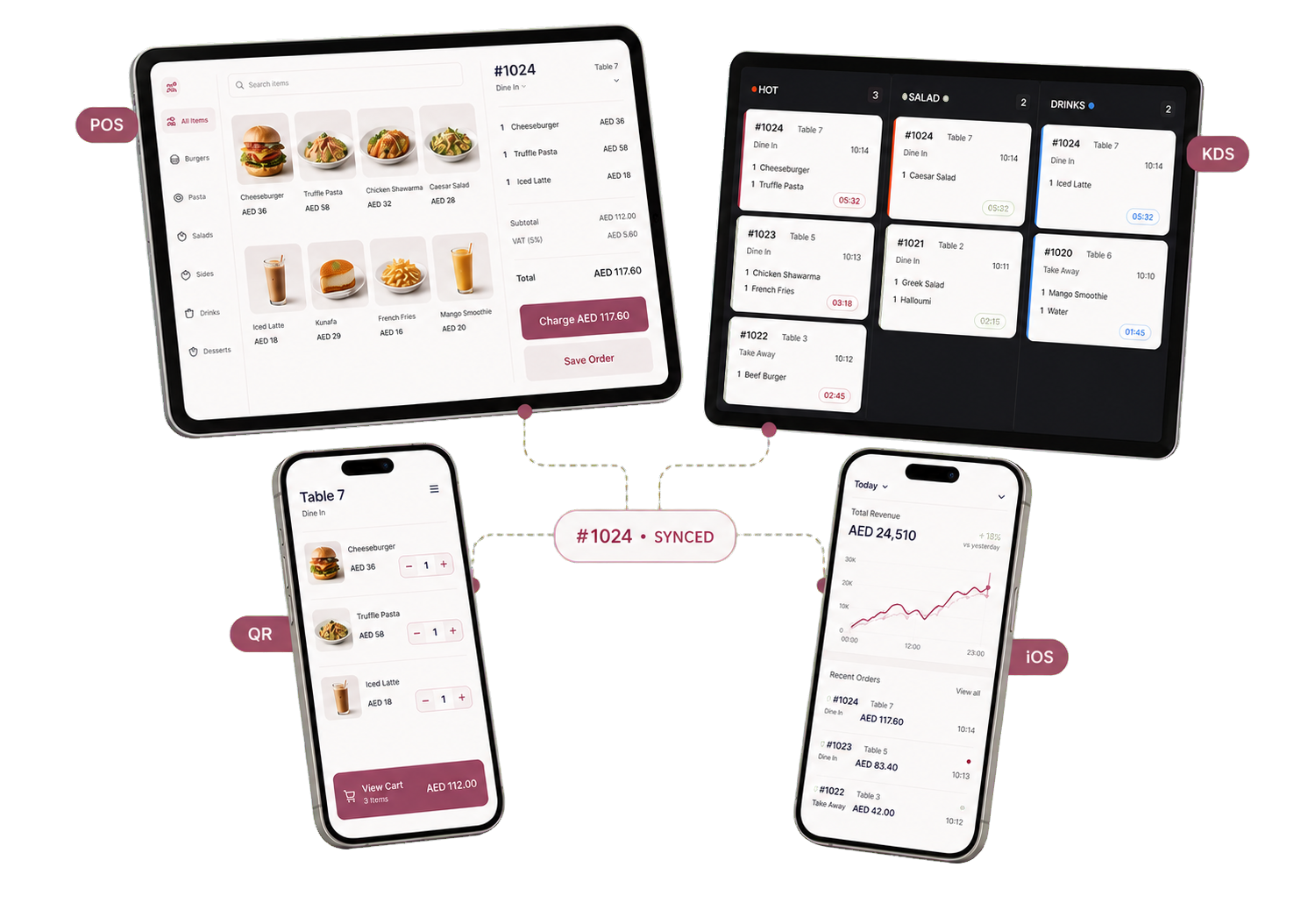
Manage orders, payments, stock, loyalty, and reports from one bilingual system built for real daily operations.
What kind of business do you run?
Choose your business type. Both products share the same login, billing, and admin tools.
Dine-in, takeaway, and delivery.
POS, kitchen display, QR ordering, tables, reservations, loyalty, and branches.
See restaurant toolsFor Online StoresStorefront, checkout, and returns.
Variants, brands, stories, multiple currencies, cash on delivery, Tabby, Tamara, and Ziina.
See shop toolsRun the dining room and the kitchen from one place.
Orders move from table to kitchen to receipt without extra tools or duplicated work.
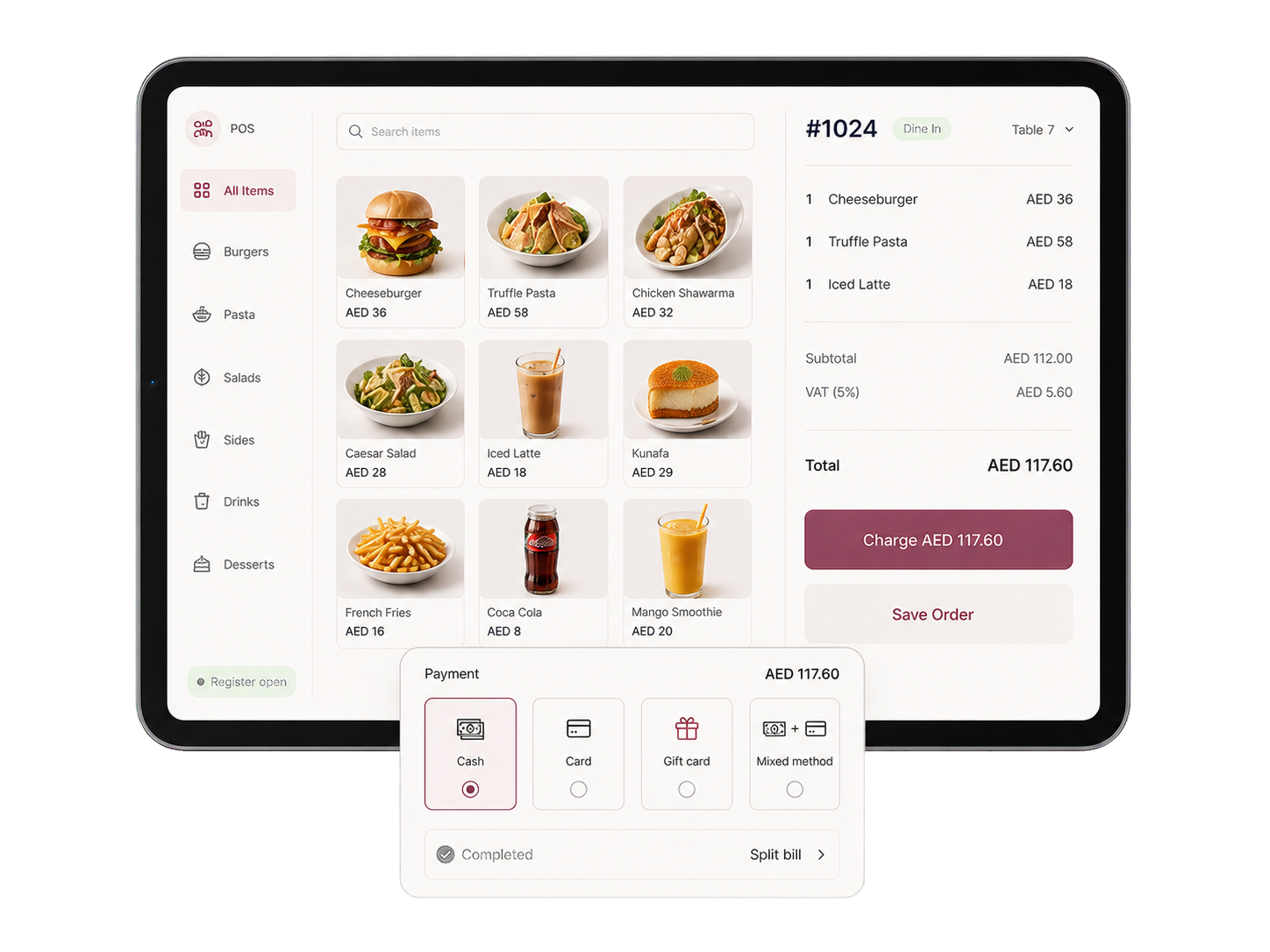
Take every payment from one screen.
Cash, card terminal, gift card, and store credit can sit in one transaction. Split bills, tips, refunds, and offline sync are built in.
- iOS + Android app
- Offline mode
- Mixed payments
- PIN + audit log
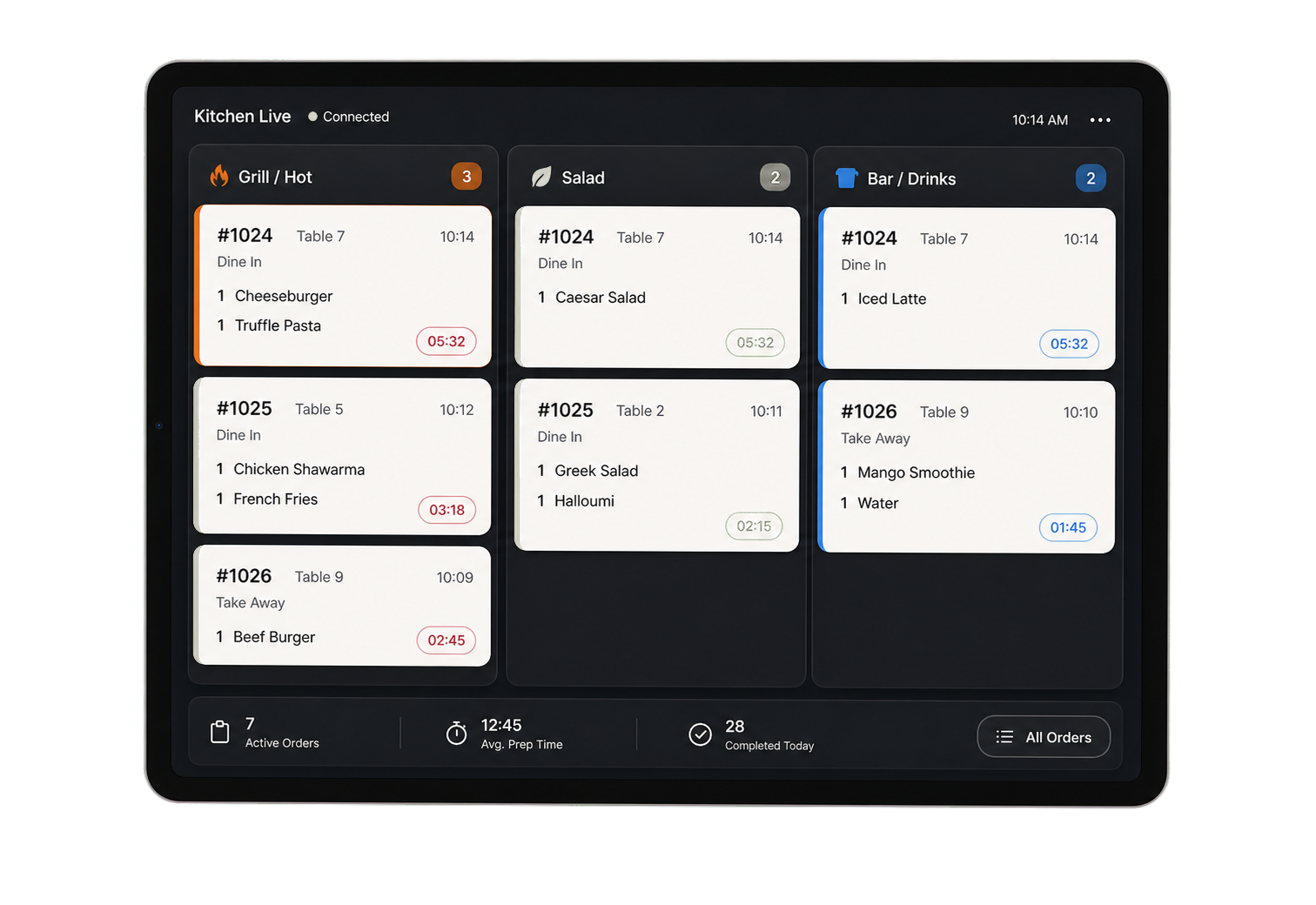
Send orders to the right station instantly.
Route items by station so grill, salad, and bar teams see only their work. The kitchen stays synced on tablets, iPads, or a kitchen TV.
- iOS + Android app
- WebSocket + fallback
- Custom lanes
- Printer routing
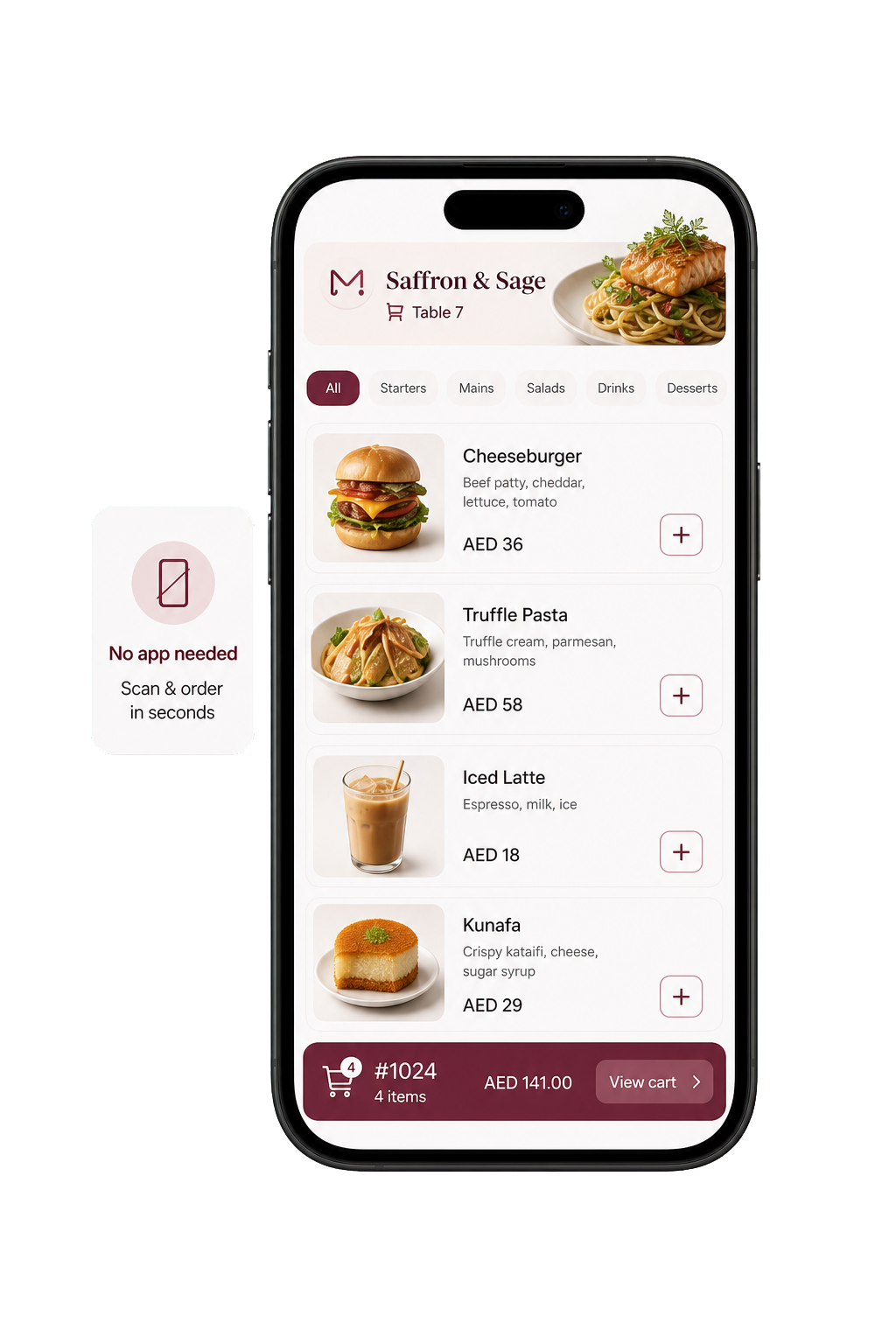
Let guests order from the table.
Guests scan, browse, order, pay, track preparation, and call the waiter from the browser. No app download required.
- Zero app install
- Allergens + calories
- Bilingual menu
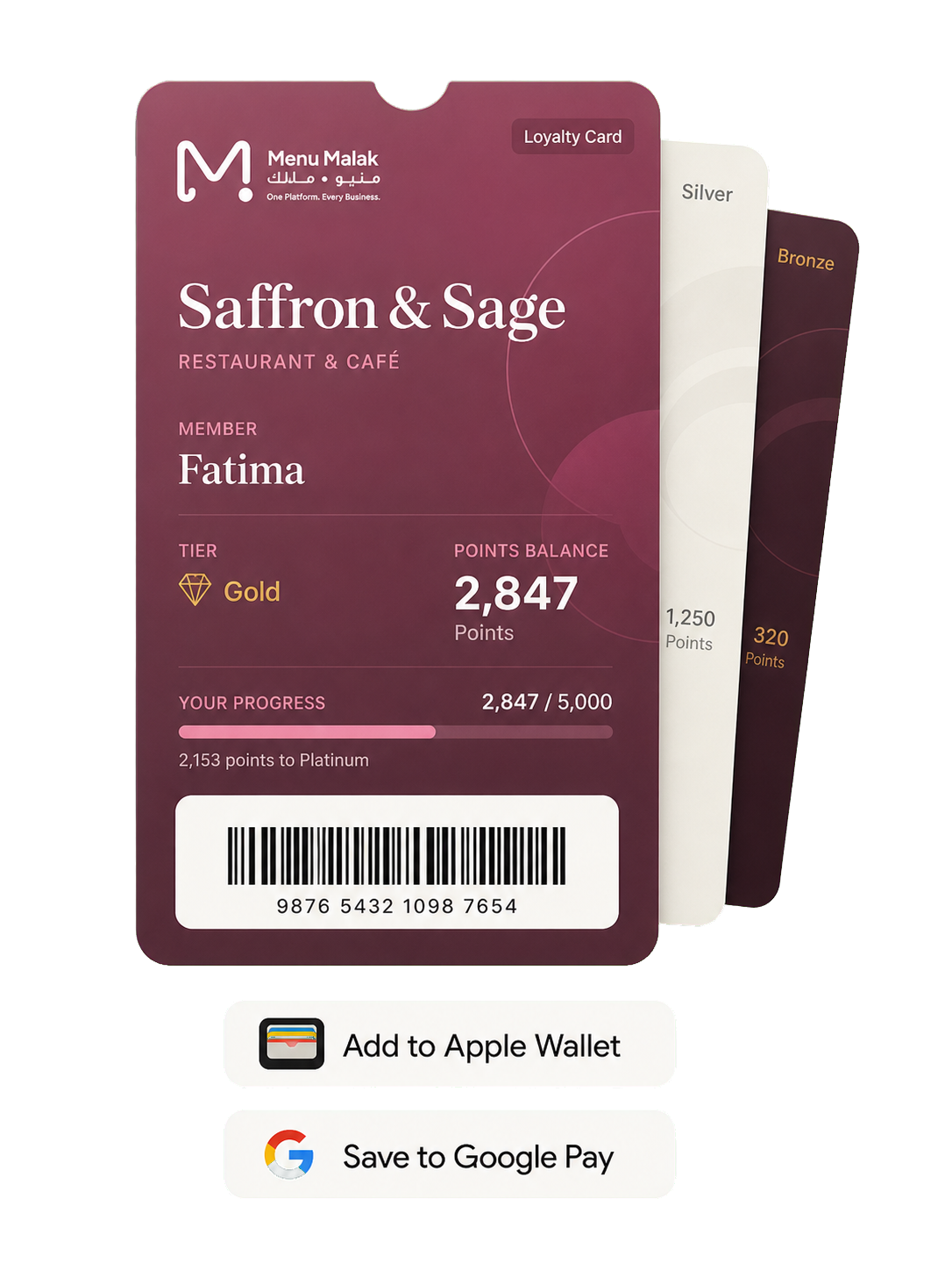
Loyalty your customers can use easily.
Customers earn points, receive rewards, and keep their pass in Apple Wallet or Google Pay for faster checkout.
- Apple Wallet pass
- Google Pay pass
- Tiers + rewards
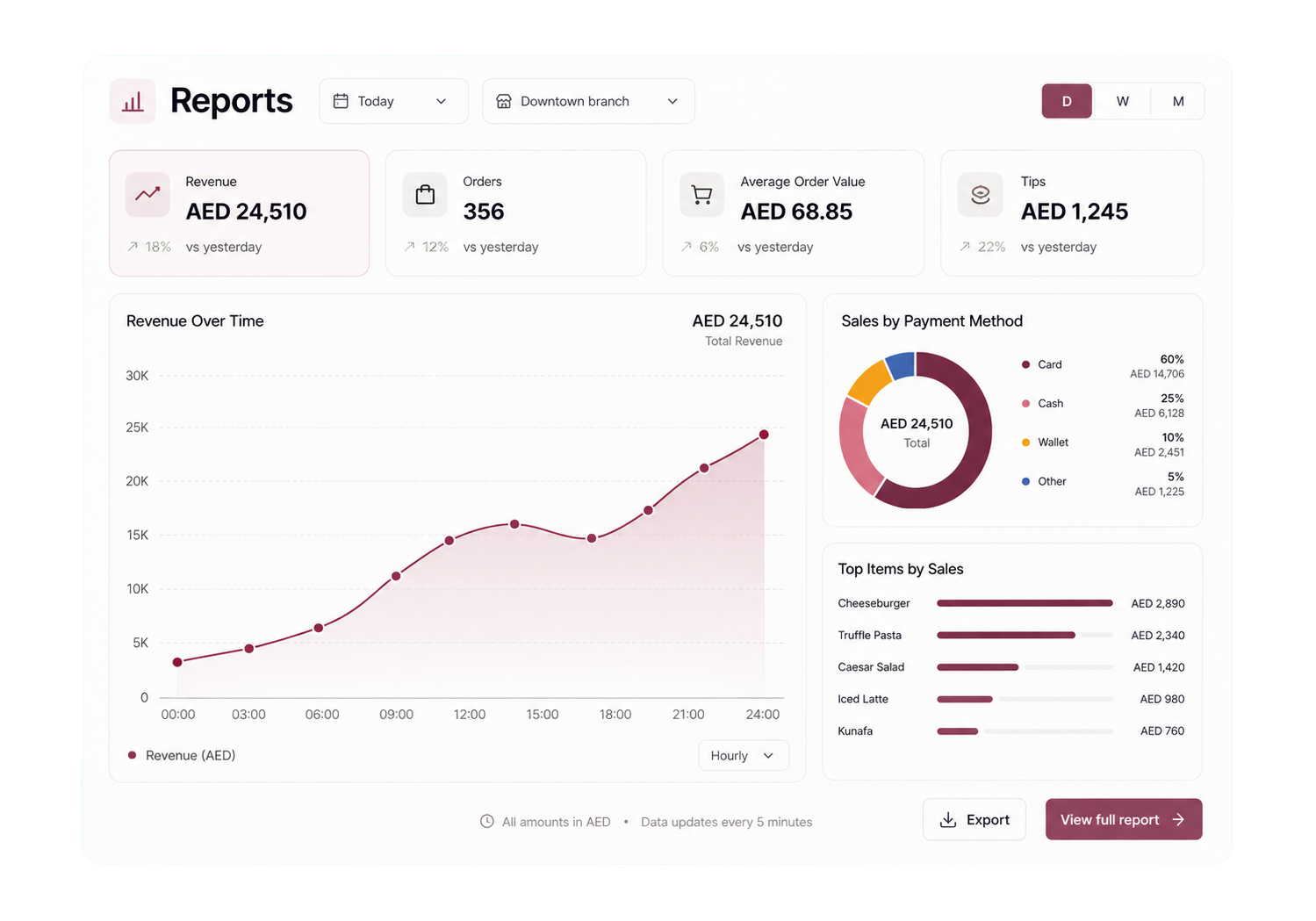
Reports that make the next day clearer.
Track sales, products, peak hours, payments, staff, and categories by branch. Export clean reports when you need them.
- 6 report types
- CSV export
- Per branch
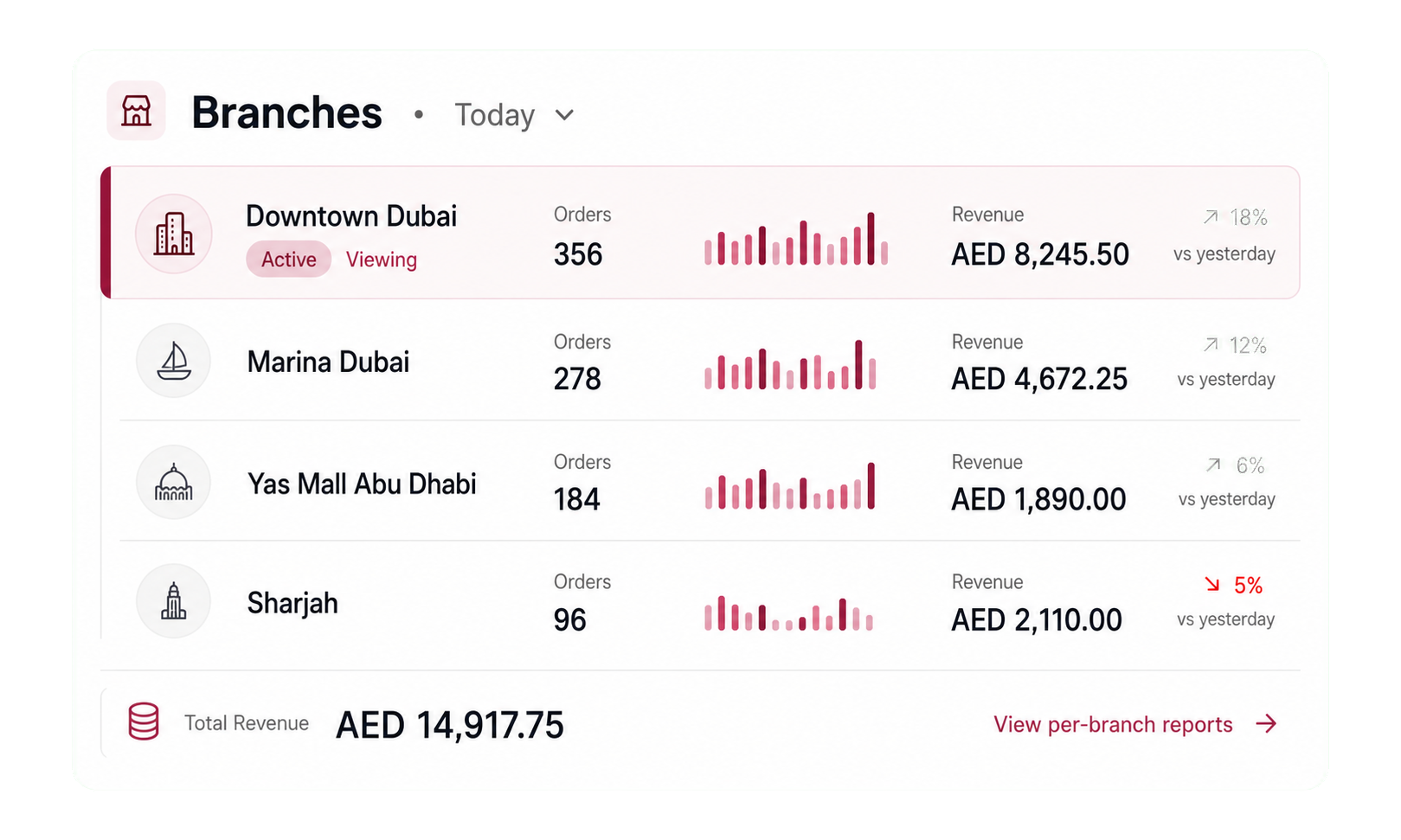
One dashboard for every branch.
Switch locations in one tap. Keep pricing, reports, inventory, and staff controls organized by branch.
- Per branch pricing
- Per branch reports
- Real time sync
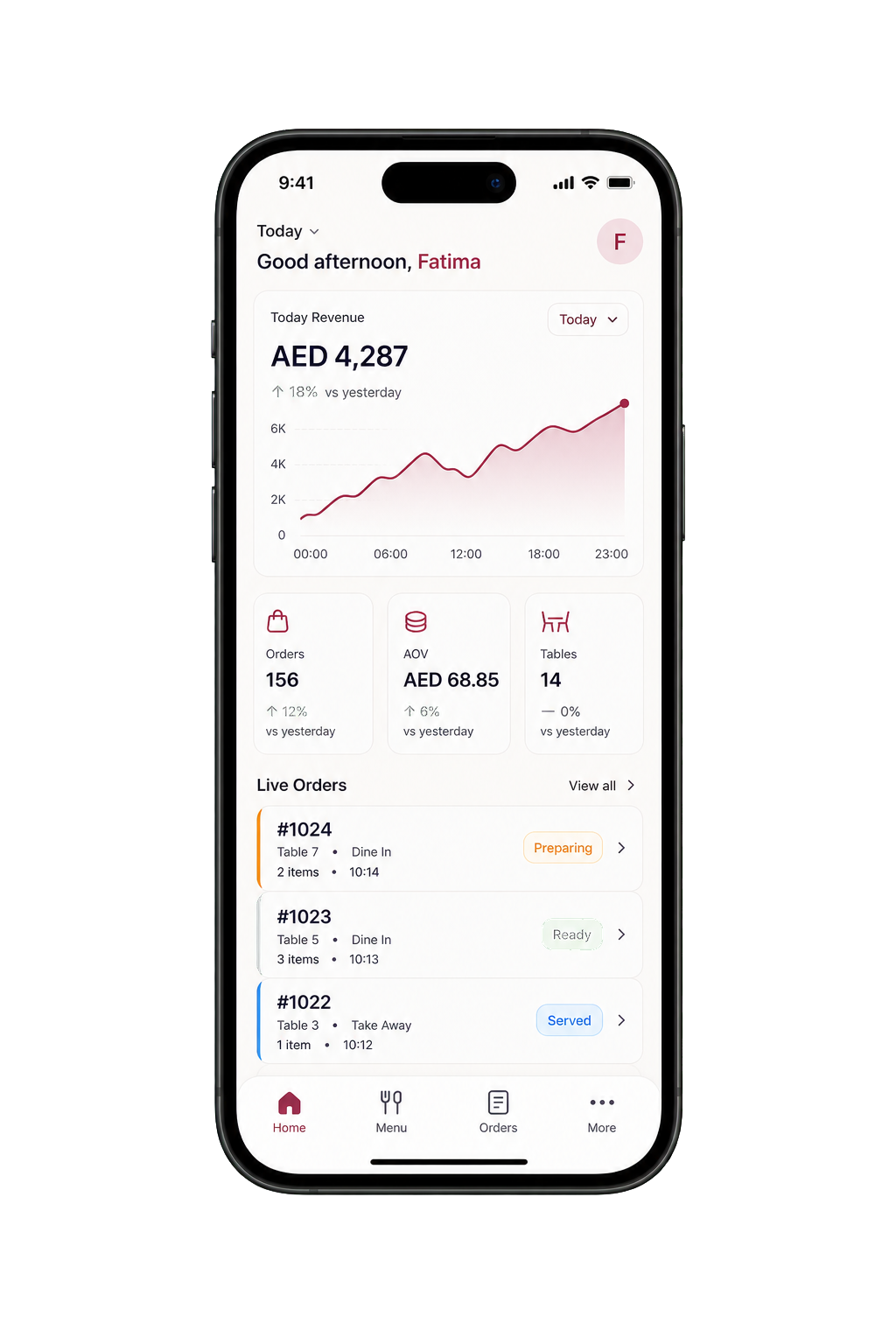
Your business, in your pocket.
A real native iOS app with Face ID login, push notifications, and the full dashboard, so you can manage menus, orders, staff, and reports from anywhere.
- Face ID + Touch ID
- Push notifications
- Native iOS app
A storefront and the admin tools to run it.
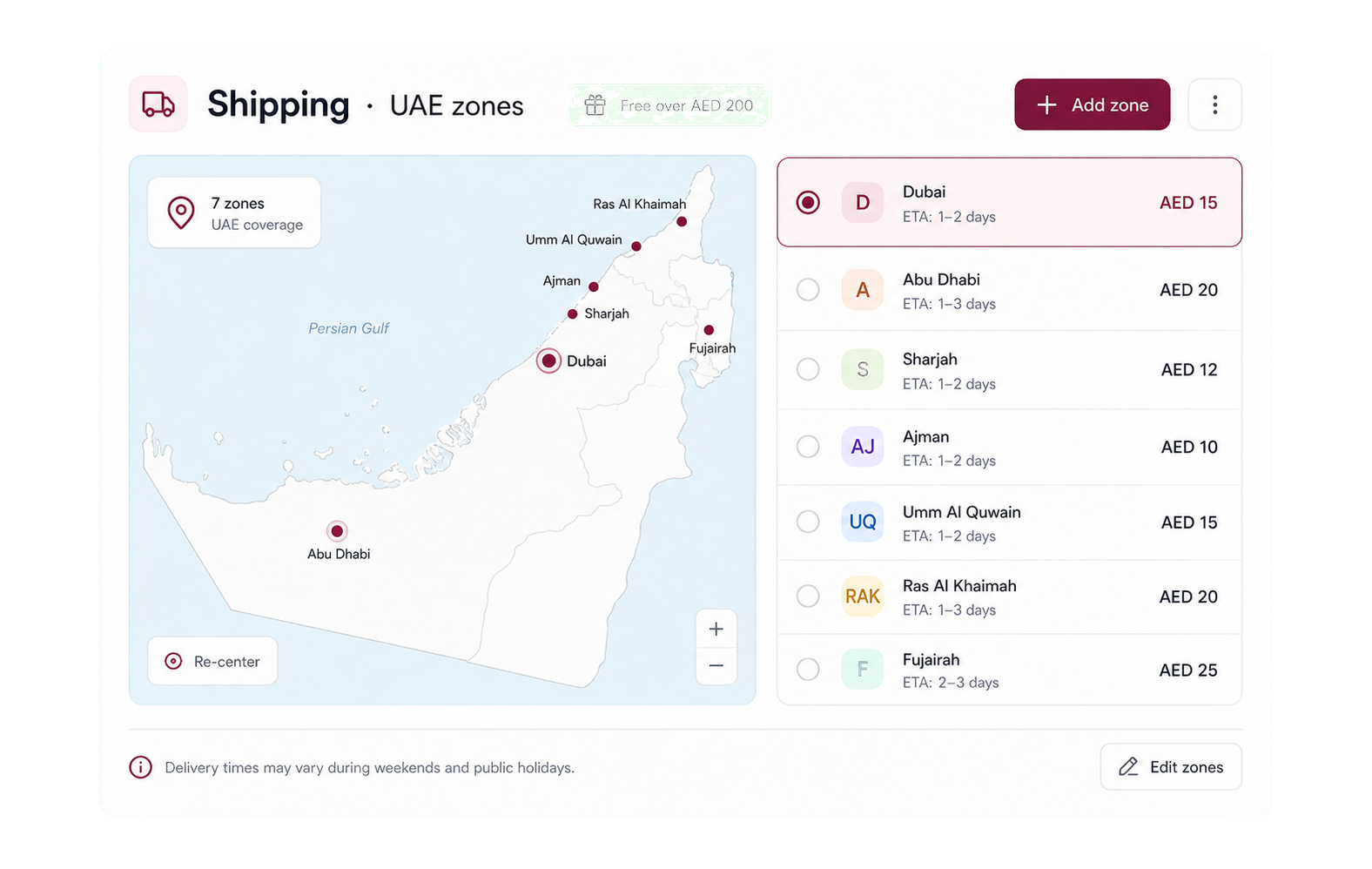
Catalog, checkout, shipping zones, returns, and customer accounts built for UAE retail.
Promote new products without clutter.
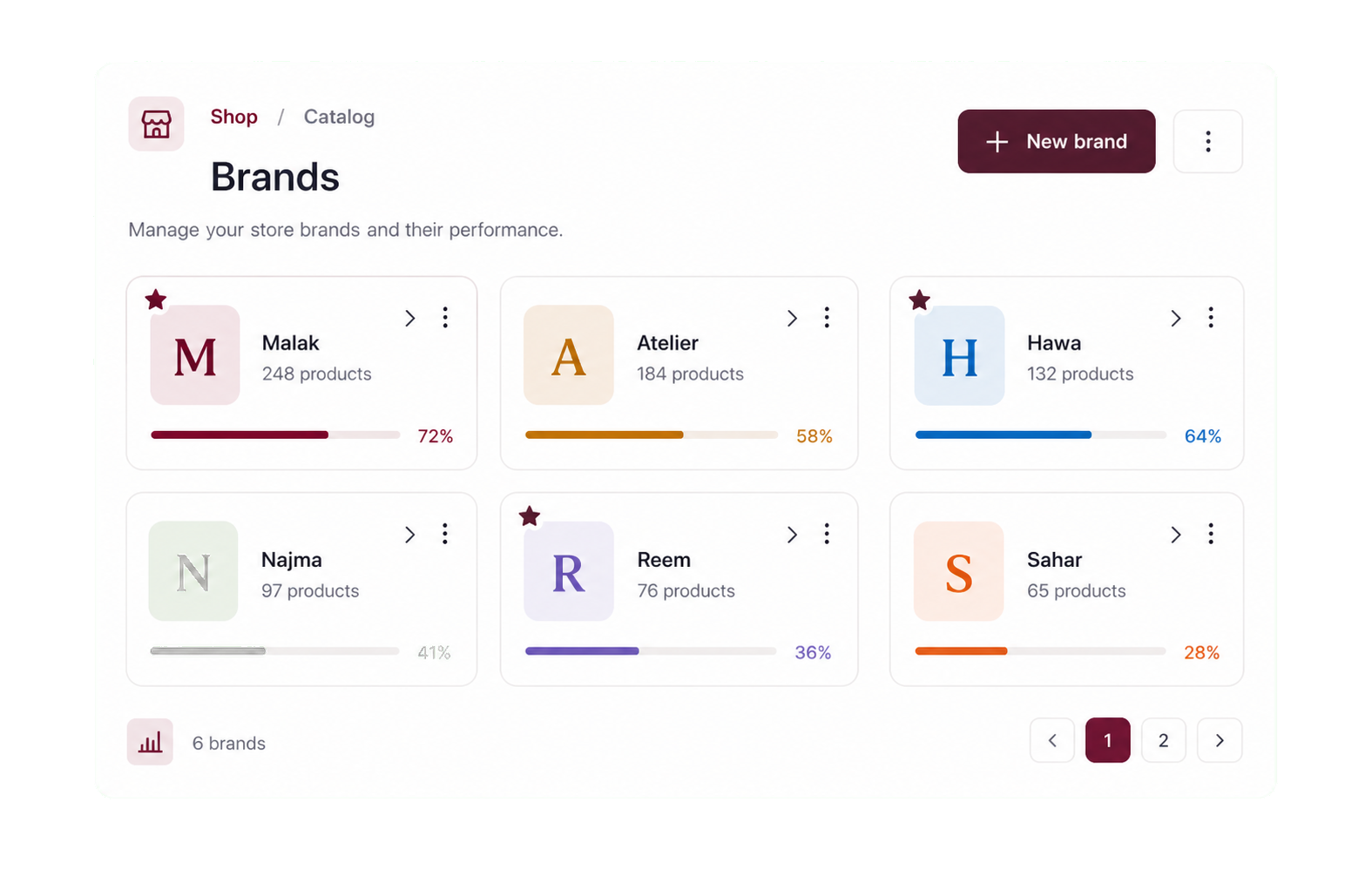
Use banners, collections, brands, and short stories that expire after 24 hours. Keep promotions visible without crowding the catalog.
- Banner carousel
- Stories · 24h
- Brands + collections
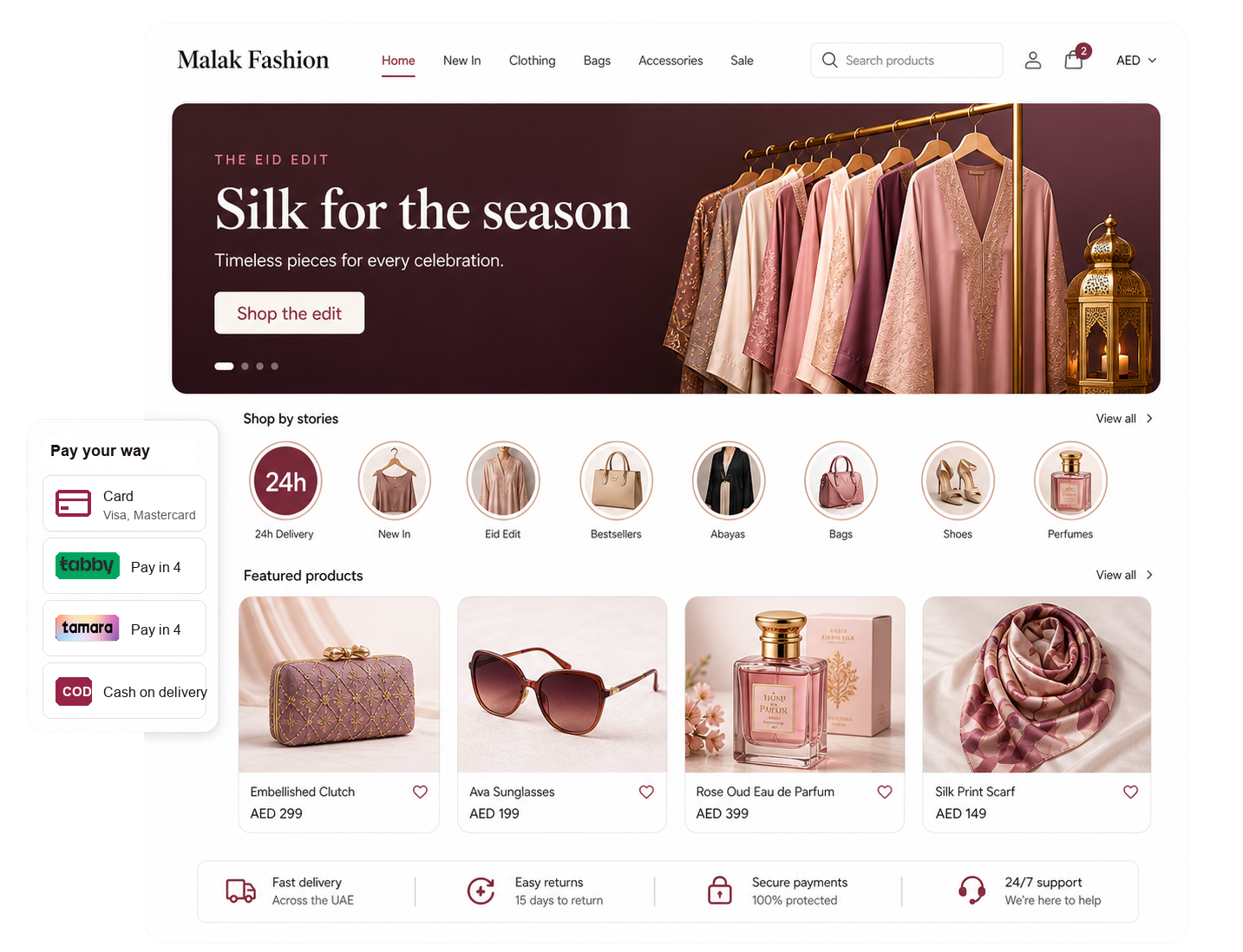
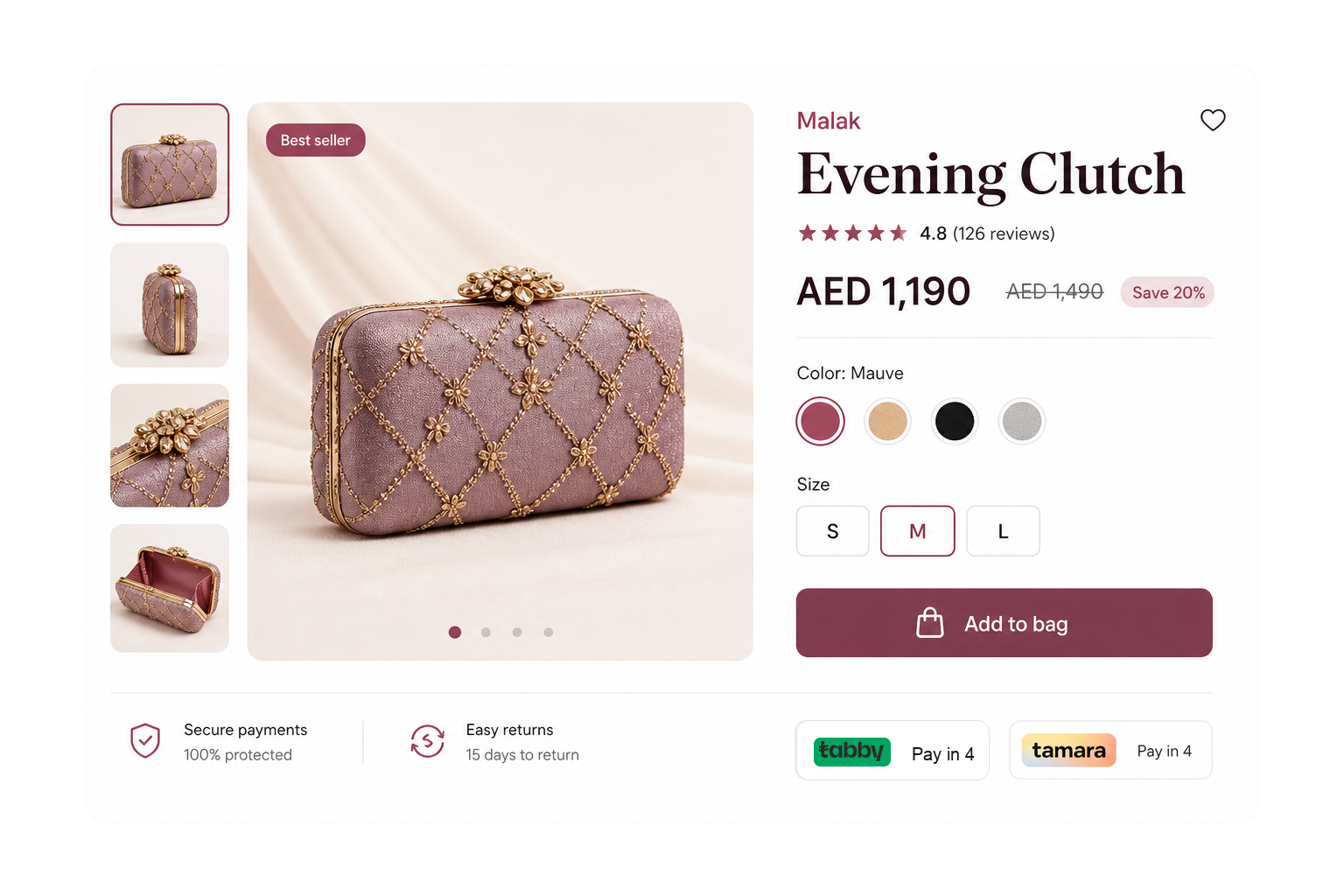
Products stay easy to find and manage.
Manage SKUs, variants, brands, photos, reviews, stock-aware filters, and product pages that work well on mobile.
- Variants + swatches
- Reviews · star ratings
- Infinite scroll
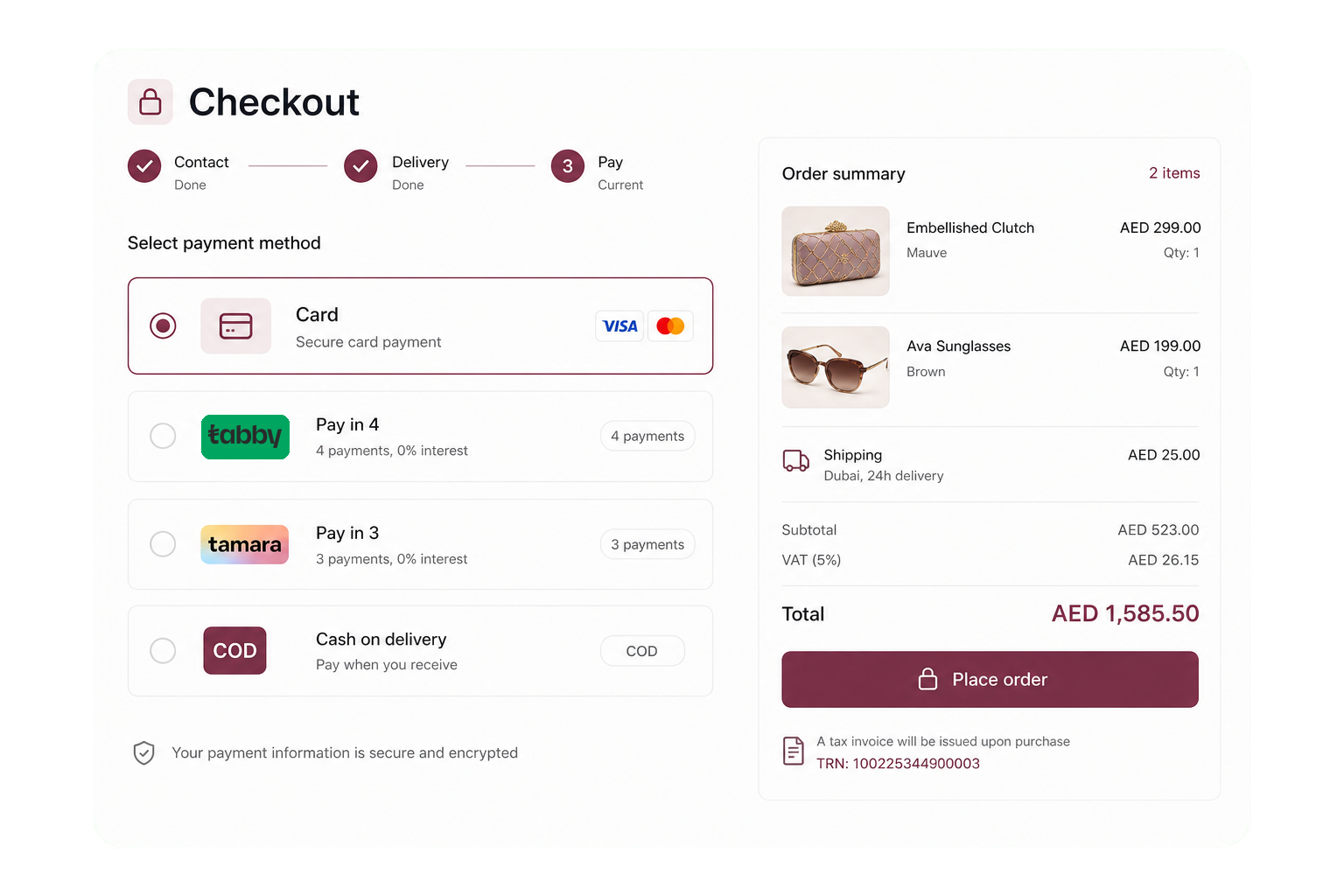
Offer the payment methods customers expect.
Support cash on delivery, Tabby, Tamara, Ziina cards, gift cards, loyalty redemption, saved addresses, and tax-ready invoices.
- COD + Tabby + Tamara + Ziina
- TRN invoicing
- Saved addresses
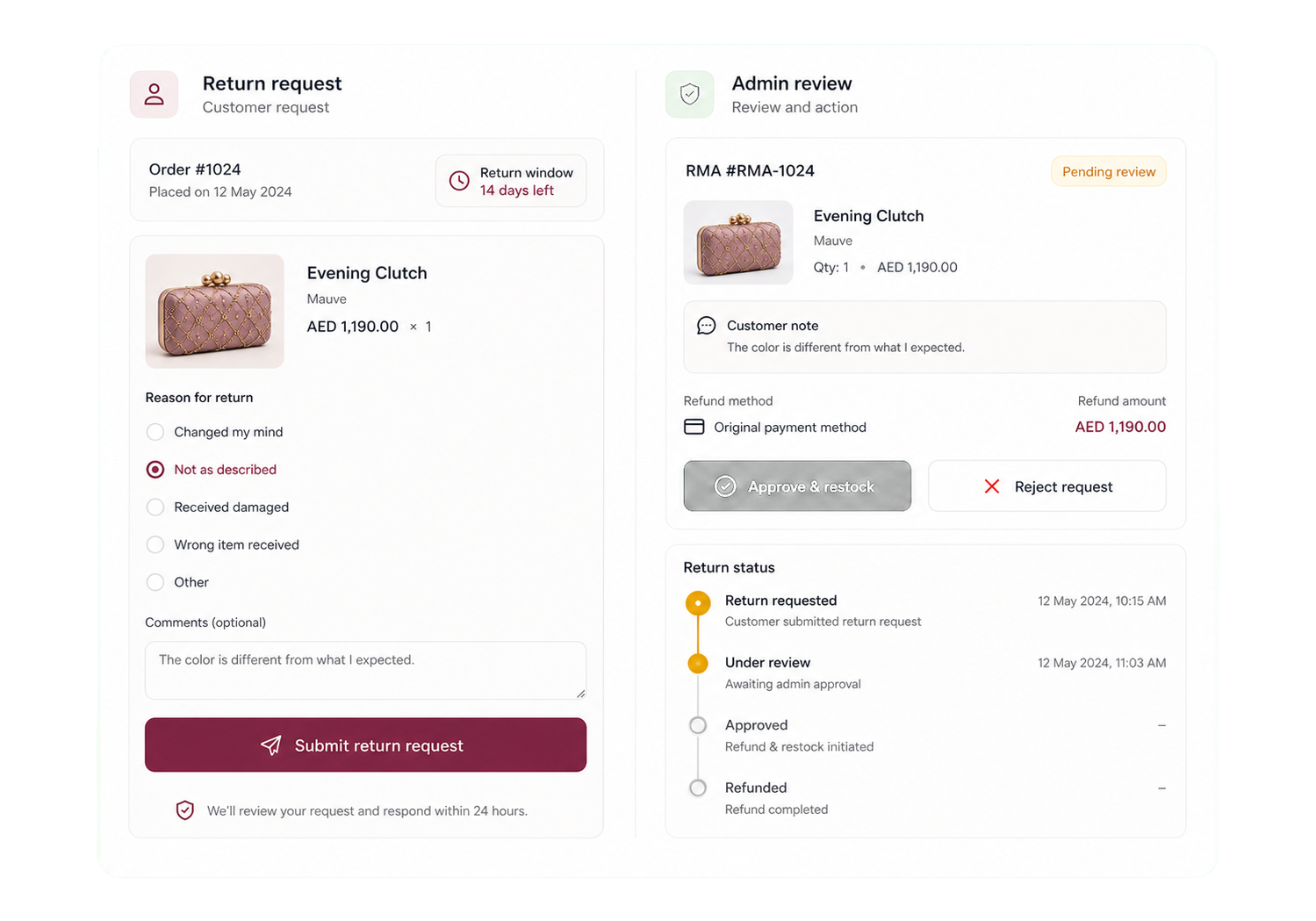
Let customers request returns clearly.
Customers submit return requests, your team approves them, and accepted items can return to stock with the right rules applied.
- Customer-initiated
- Admin approves
- Restock on return
Manage the whole store from one admin.
Control brands, collections, coupons, shipping zones, and storefront content from the same admin used across the platform.
- Brands + collections
- Per-emirate shipping
- Coupons + free-over
Built for local selling and regional expansion.
Tax details, regional payments, multiple currencies, and multilingual screens are set up for GCC businesses from the start.
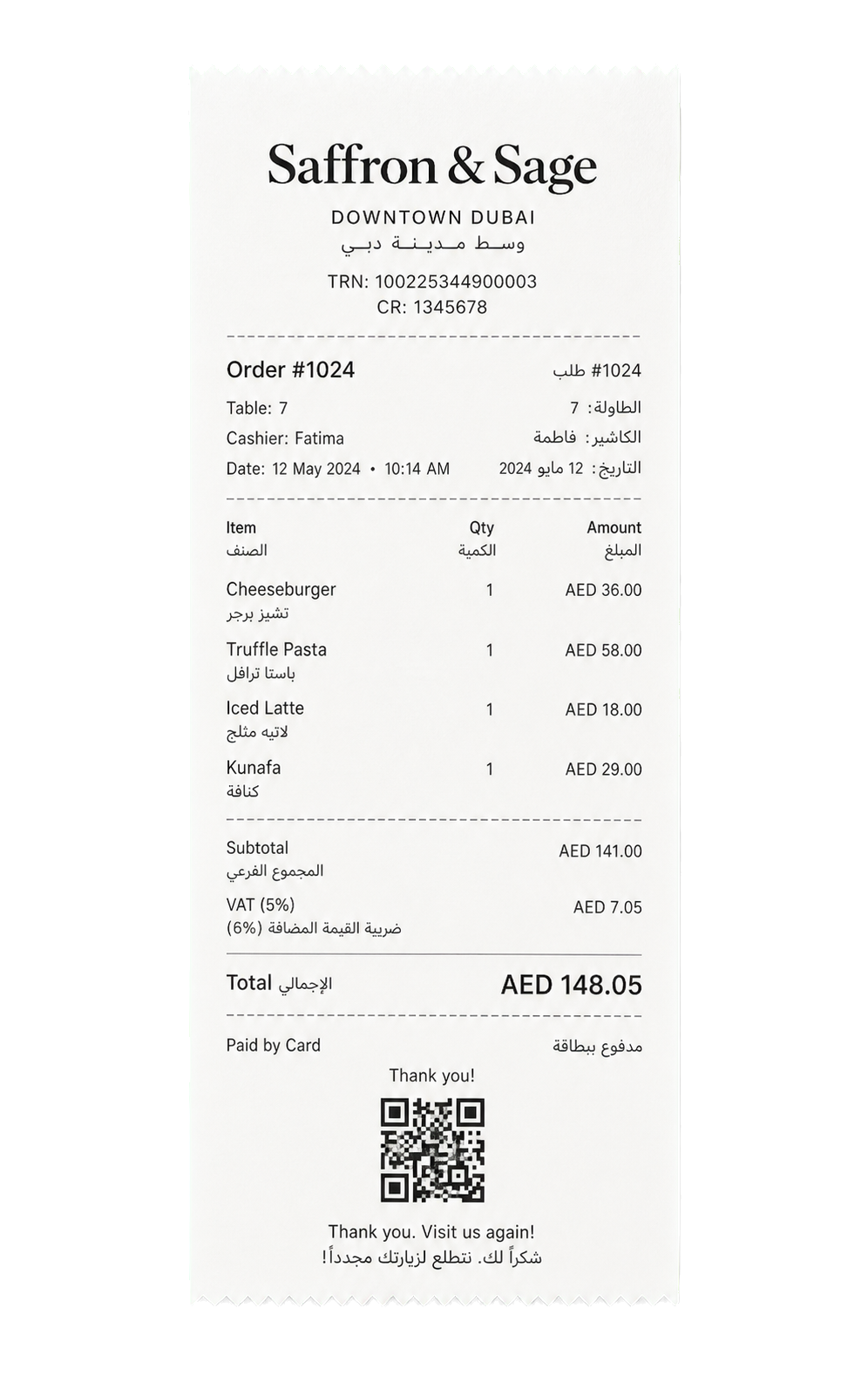
Tax details appear on every receipt.
Store your tax ID, trade license, and registration country once. They print on digital and thermal receipts.
Four languages, with proper Arabic.
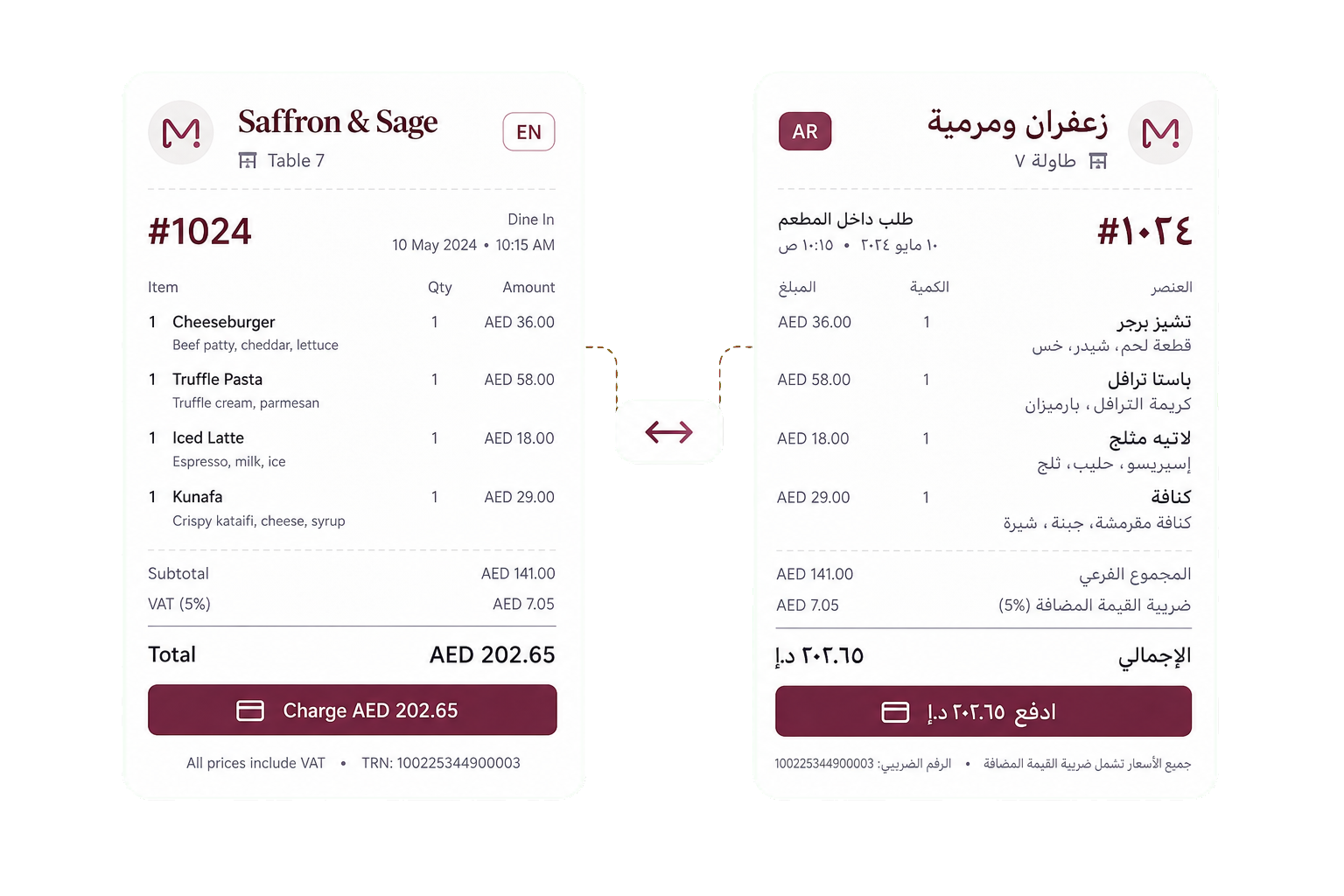
English, Arabic, French, and Hindi are written for real use across menus, receipts, reports, and admin screens.
Connect the payment methods your customers use.
Accept regional providers, local and global cards, store credit, gift cards, and customer currencies from one setup.
Go live in three clear steps.
Create your business
Add your email, password, and business name. No card required.
Add your menu or catalog
Add photos, prices, tax settings, and English and Arabic names side by side.
Print your QR. Open the POS.
Print your QR codes and open the POS on an iPhone, iPad, Android device, or tablet.
Service status is always visible.
Track API, database, POS, kitchen display, QR menu, storefront, and CDN health from one public page.
Open status page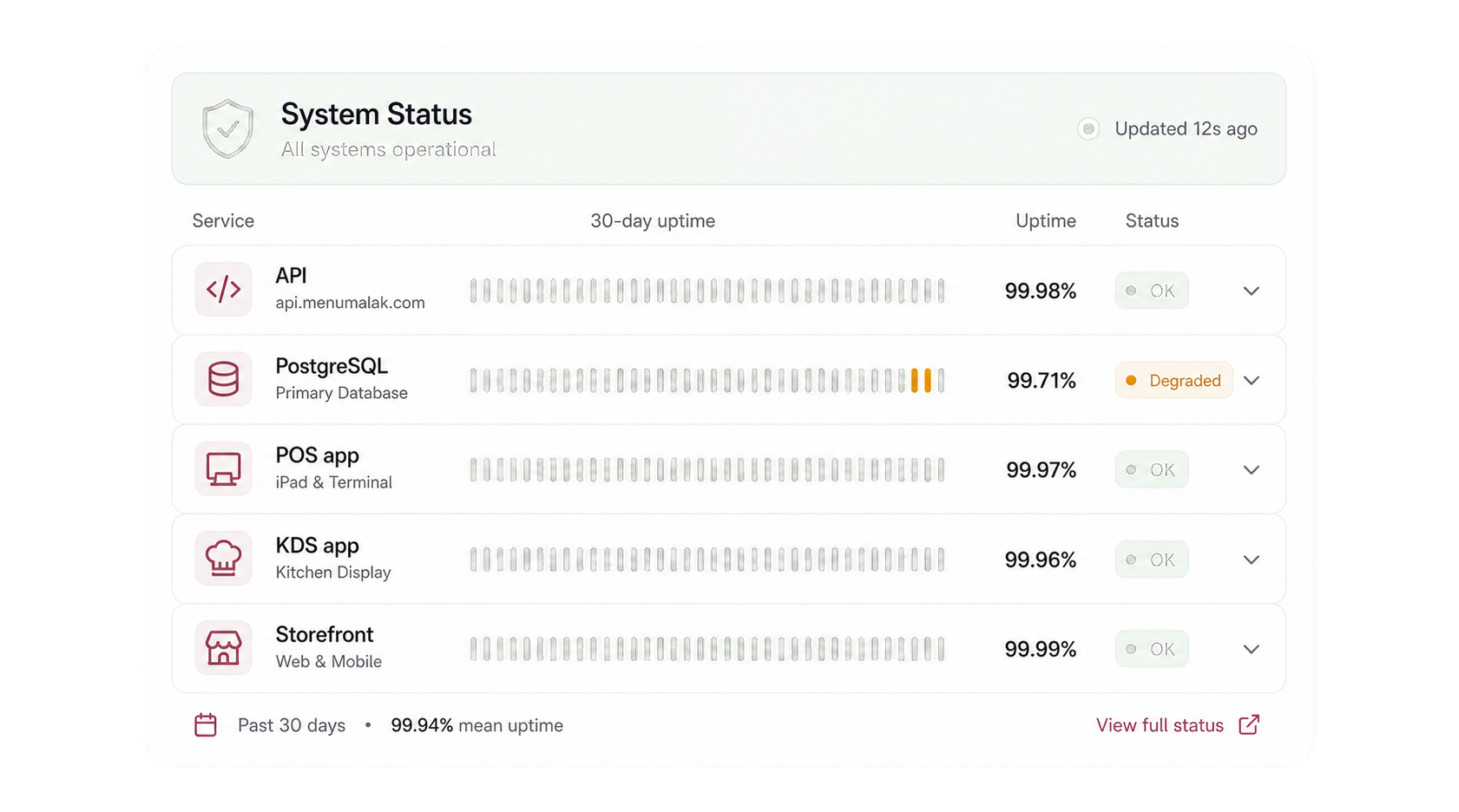
Common questions about Menu Malak
What is Menu Malak?
Menu Malak is a bilingual platform for restaurants and online stores in the GCC. It brings POS, kitchen display, QR ordering, an online storefront, loyalty, and reports into one system that works in Arabic and English.
Does Menu Malak work for both restaurants and online stores?
Yes. Restaurants get POS, kitchen display, QR ordering, tables, and branches. Online stores get a storefront, checkout, shipping, and returns. Both share one login, one admin, and one bill.
Which countries does Menu Malak support?
Menu Malak is built for the GCC and serves the United Arab Emirates, Saudi Arabia, Qatar, Oman, Bahrain, and Kuwait, with local tax, regional payments, and multiple currencies set up from the start.
Is Menu Malak available in Arabic?
Yes. Every screen, menu, receipt, and report works in proper Arabic with full right to left support, alongside English, French, and Hindi.
Do I need to install anything to start?
No. Menu Malak runs in the browser, and the POS and kitchen display also have native iOS and Android apps. You can sign up, add your menu or catalog, print your QR codes, and go live the same day.
What payment methods does Menu Malak support?
Cash, card terminals, Ziina, Tabby, and Tamara, plus gift cards and store credit. Customers can also see prices in their own currency.
How much does Menu Malak cost?
Every plan includes all features. You pay based on usage, such as branches and tables, not on locked features. See the pricing page for current plans, or contact us for a quote.
Ready to see how it works?
Contact us and we will show you a demo that fits your restaurant or shop. No commitment.
Tell us what you run
Send a message or reach us on WhatsApp. We will show you the right setup for your restaurant or your store.