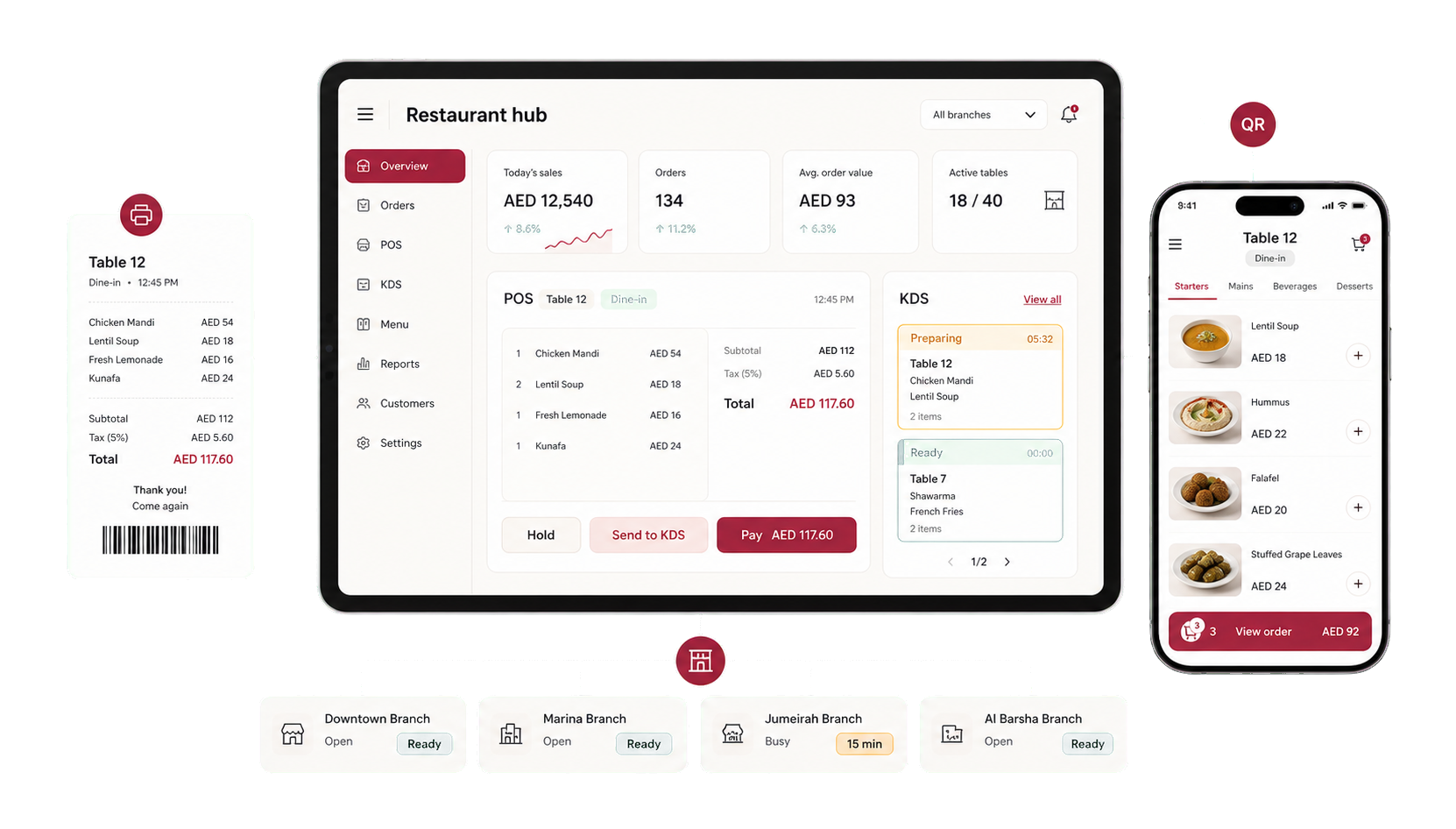
Run the floor. Keep the kitchen in sync.
POS, kitchen display, QR ordering, tables, loyalty, and reservations stay connected in real time across every branch.
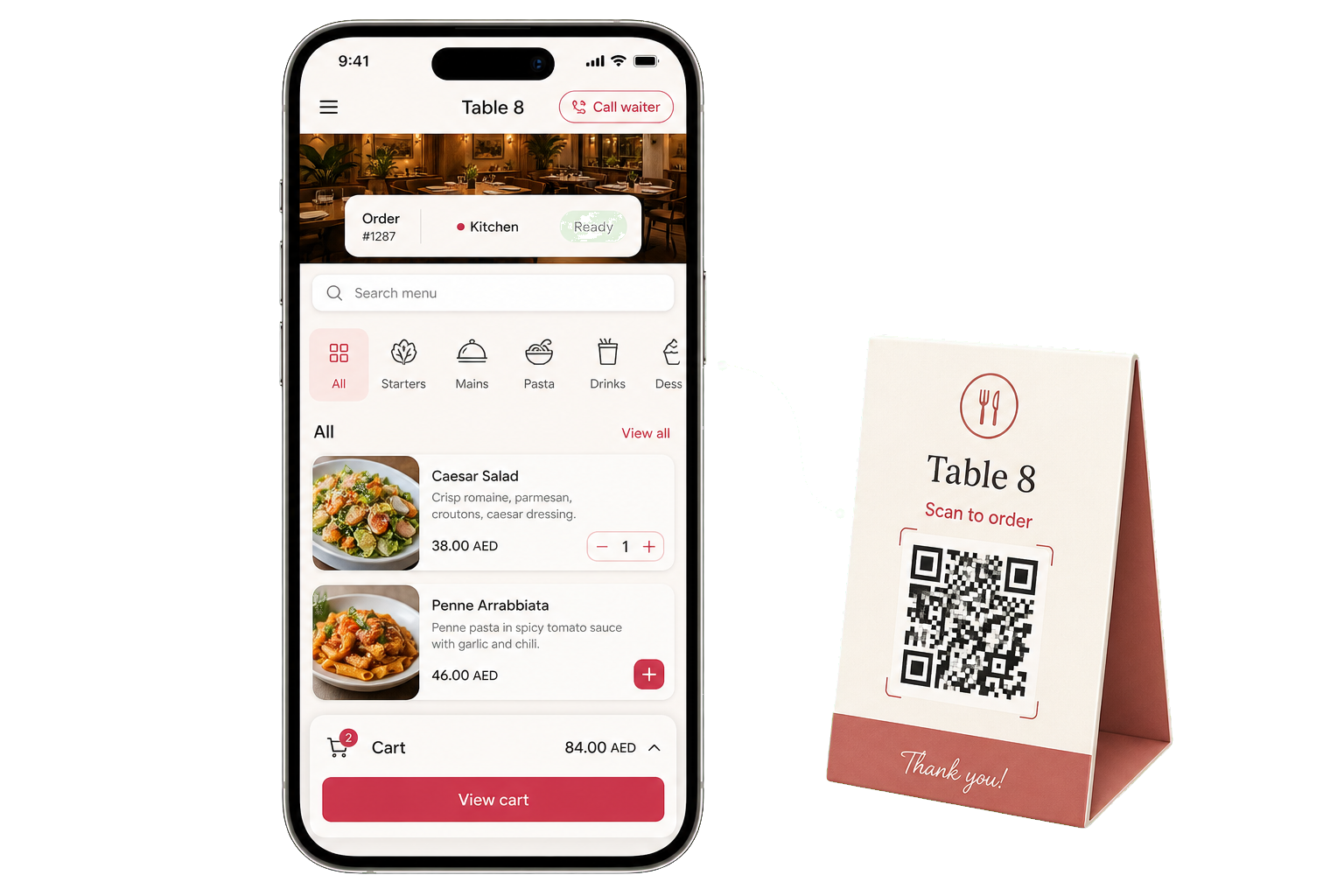
Let guests order from the table.
Guests scan, browse, order, pay, track preparation, and call the waiter from the browser. Table sessions keep every order attached to the right seat.
- Zero app install
- Allergens + calories
- Multilingual menu
- Live order tracking
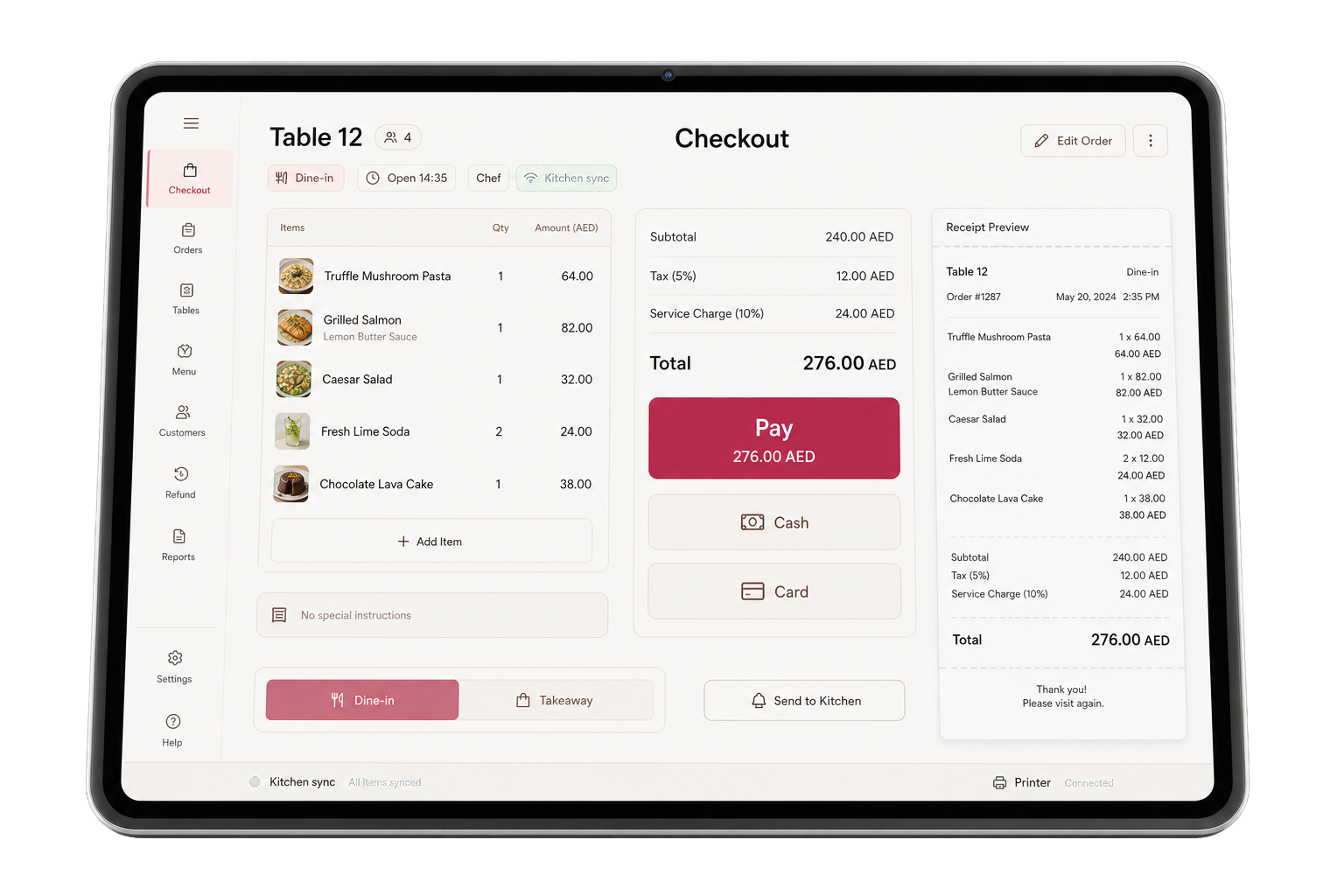
Take every payment from one screen.
Cash, card terminal, gift card, and store credit can sit in one transaction. Split bills, tips, held orders, refunds, staff PINs, audit logs, and offline sync are built in.
- iOS + Android app
- Offline mode
- Mixed payments
- PIN + audit log
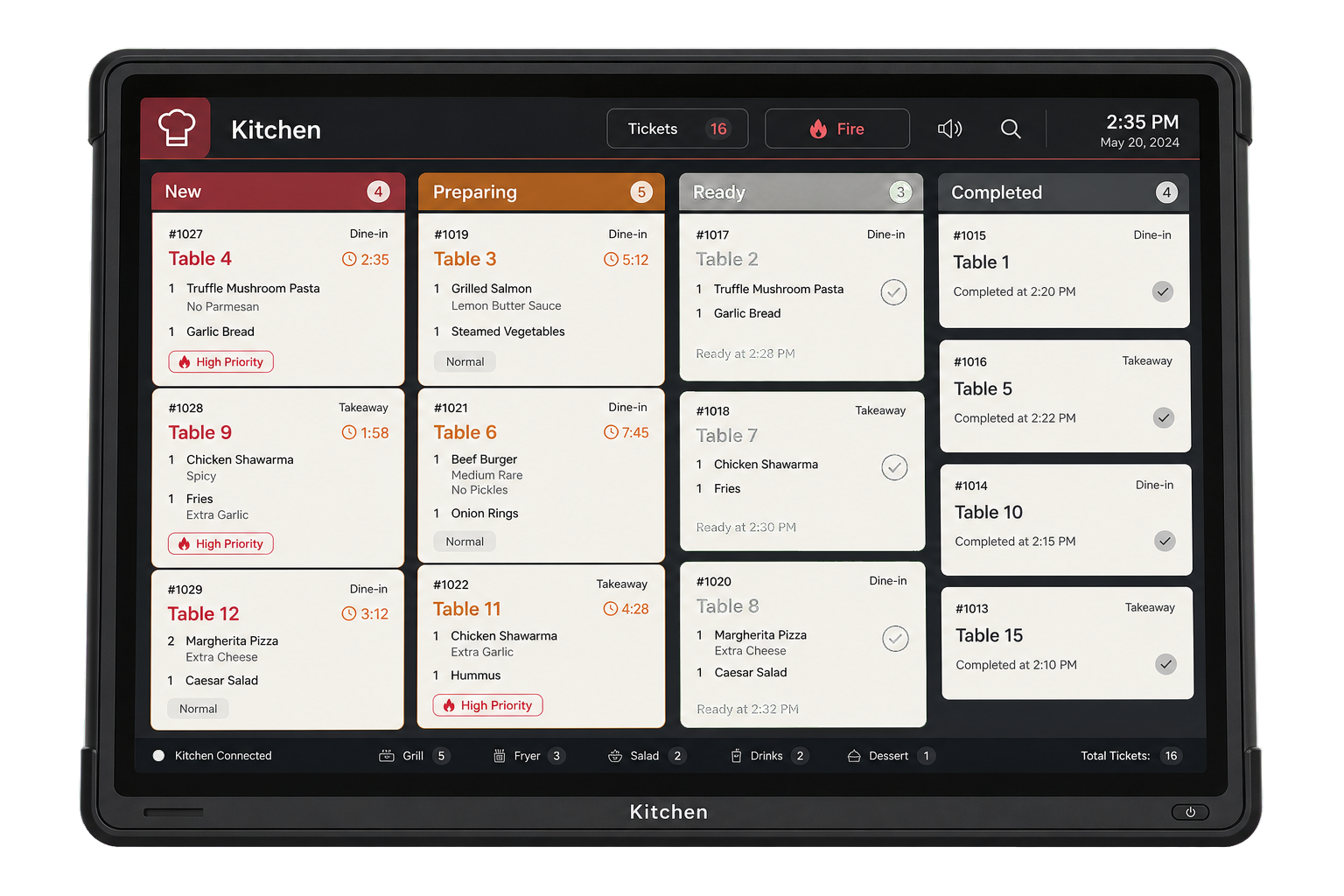
Keep every station in sync.
Route items by station, mark them ready, and let the floor see updates instantly. It works on tablets, iPads, or a kitchen TV.
- iOS + Android app
- WebSocket + fallback
- Custom lanes
- Printer routing
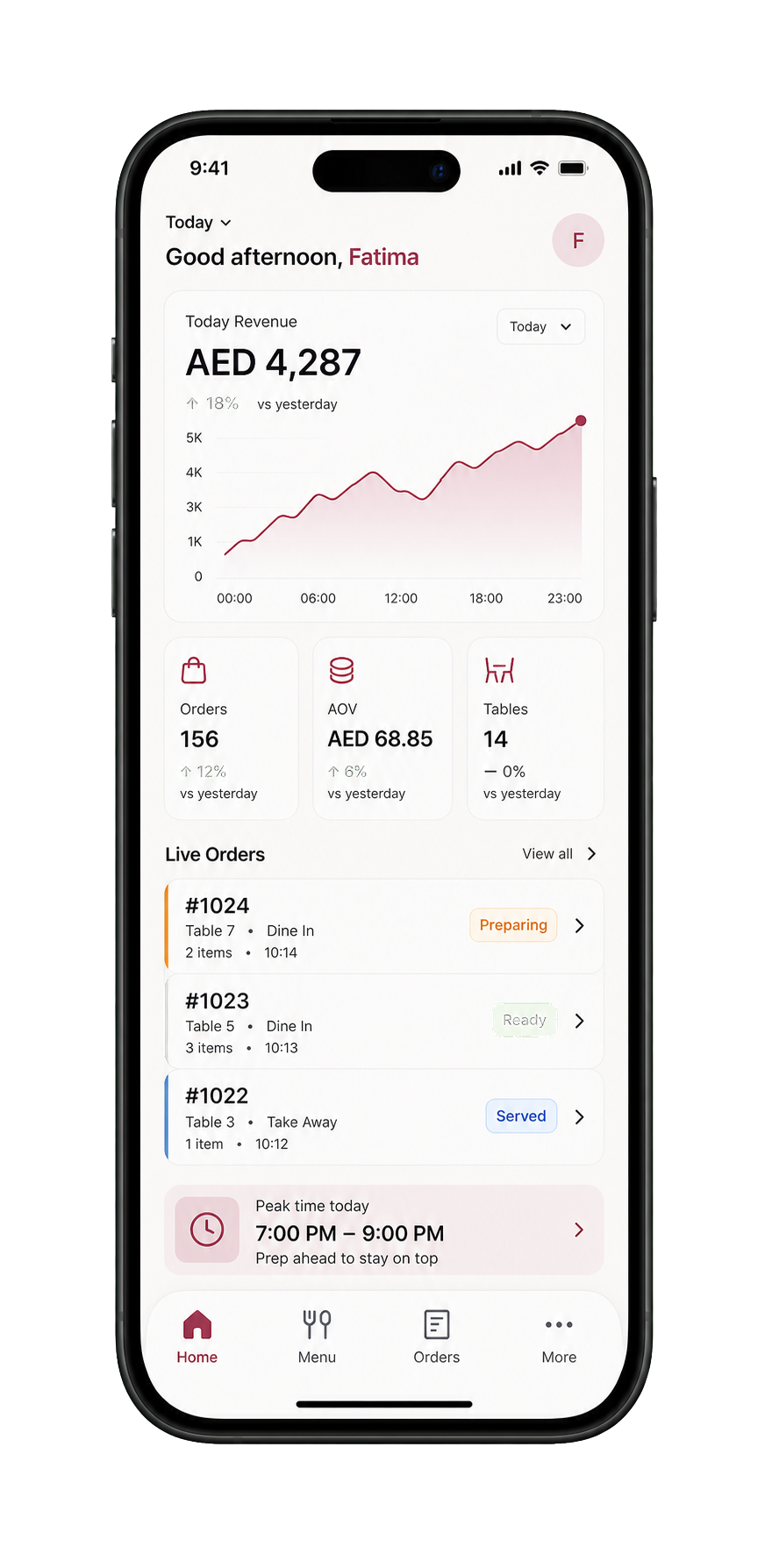
Reports that make the next day clearer.
Track sales, products, peak hours, payments, staff, and categories by branch. Export reports and review the audit log when you need a clear record.
- 6 report types
- CSV export
- Per branch scope
- Full audit log
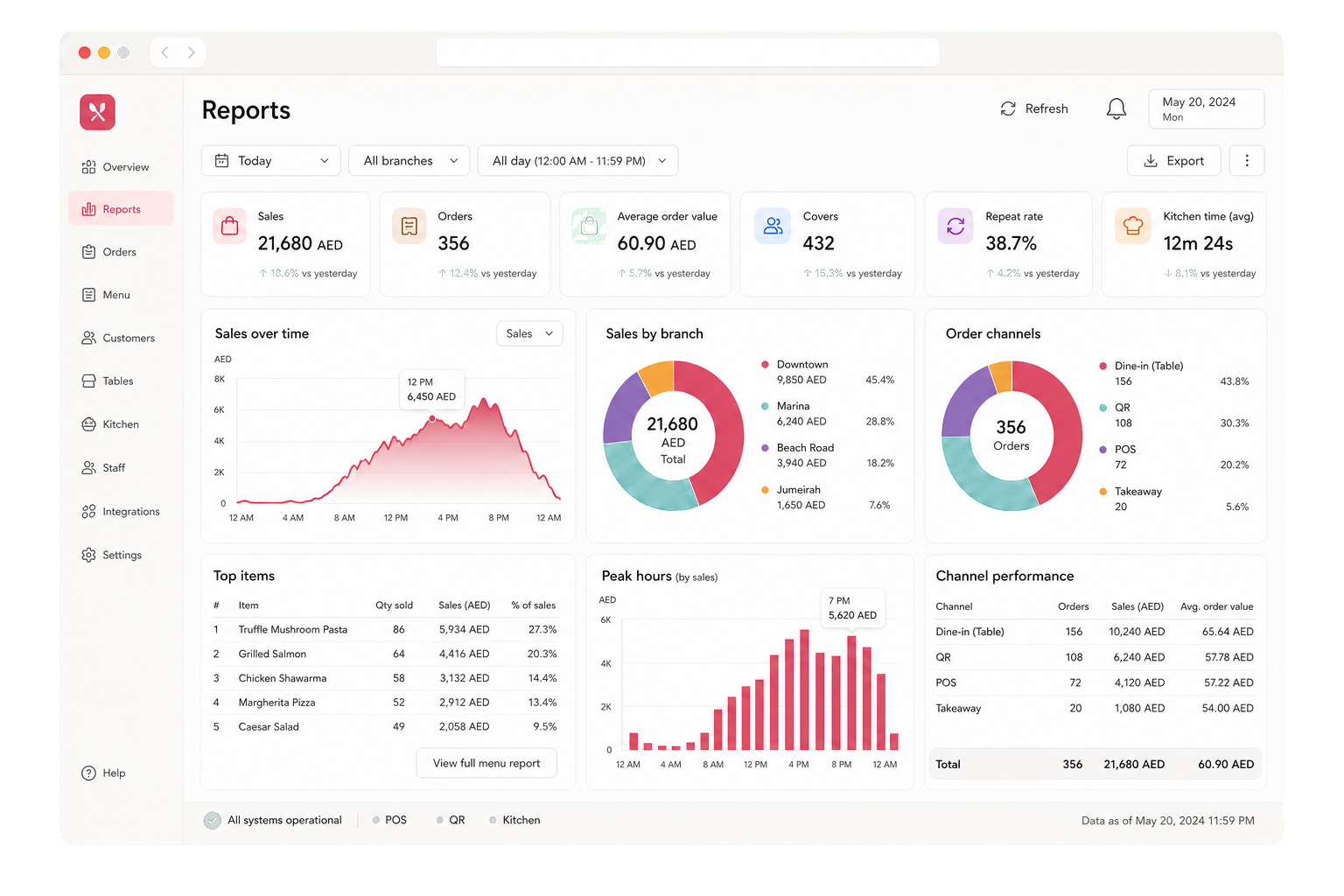
Loyalty your customers can use easily.
Customers earn points, receive rewards, and keep their pass in Apple Wallet or Google Pay. Gift cards and store credit are included too.
- Apple Wallet pass
- Google Pay pass
- Tiers + rewards
- Gift cards + credit
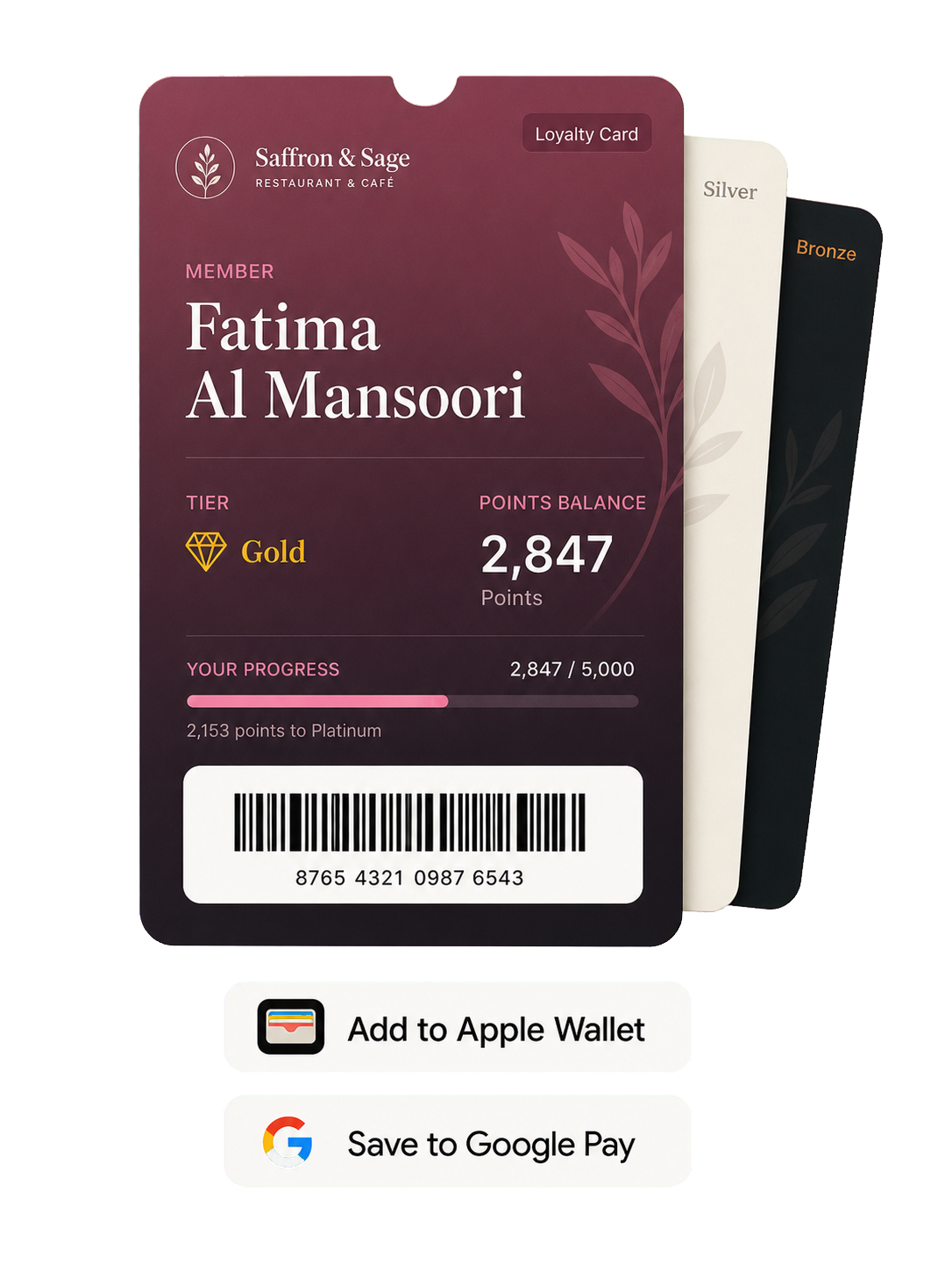
One dashboard for every branch.
Switch locations in one tap. Keep pricing, reports, inventory, and staff controls organized by branch.
- Per branch pricing
- Per branch reports
- Per branch inventory
- Real time sync
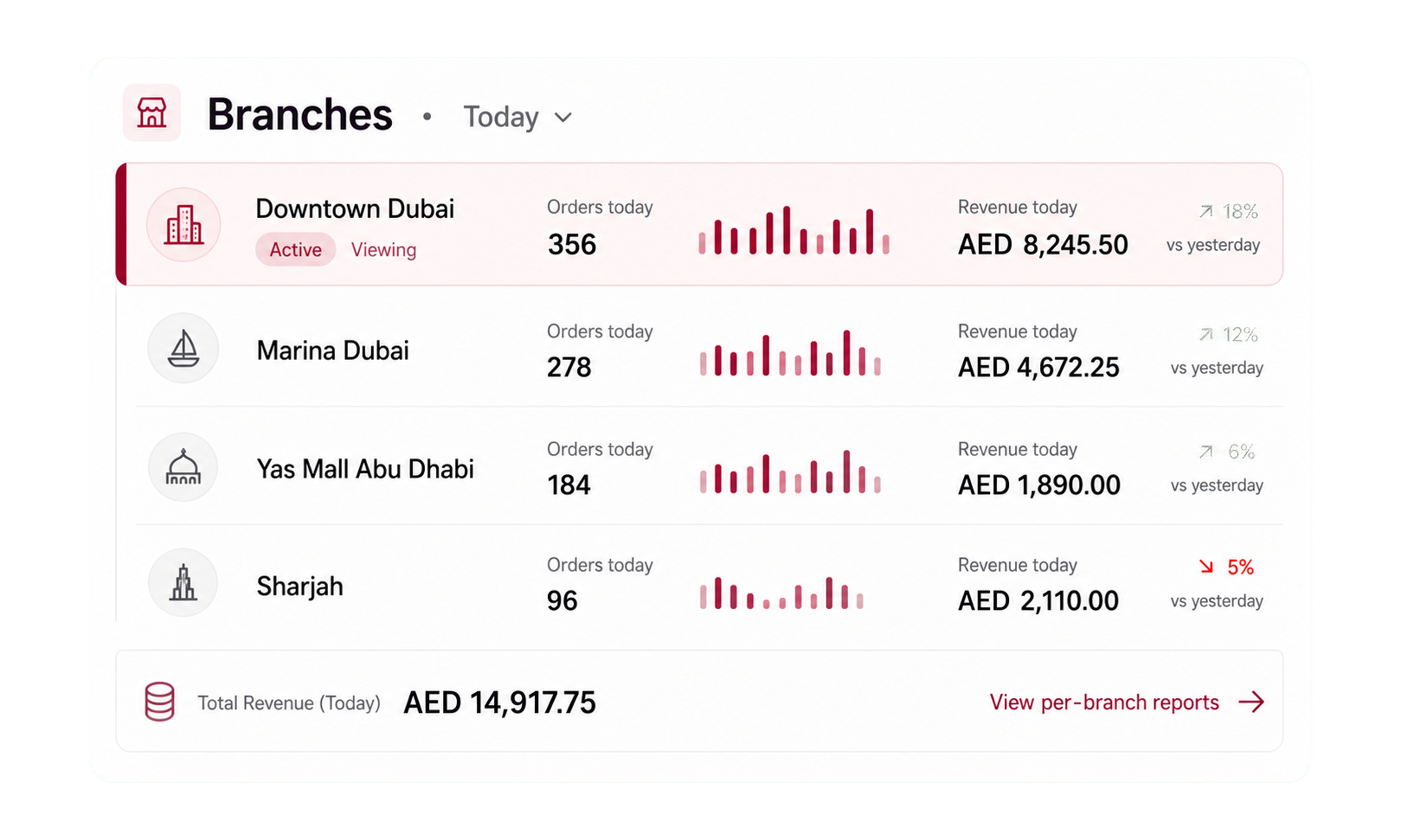
Your business, in your pocket.
Use the native iOS app to review orders, update menus, check reports, and receive alerts wherever you are.
- Face ID + Touch ID
- Push notifications
- Native iOS app
- Works offline
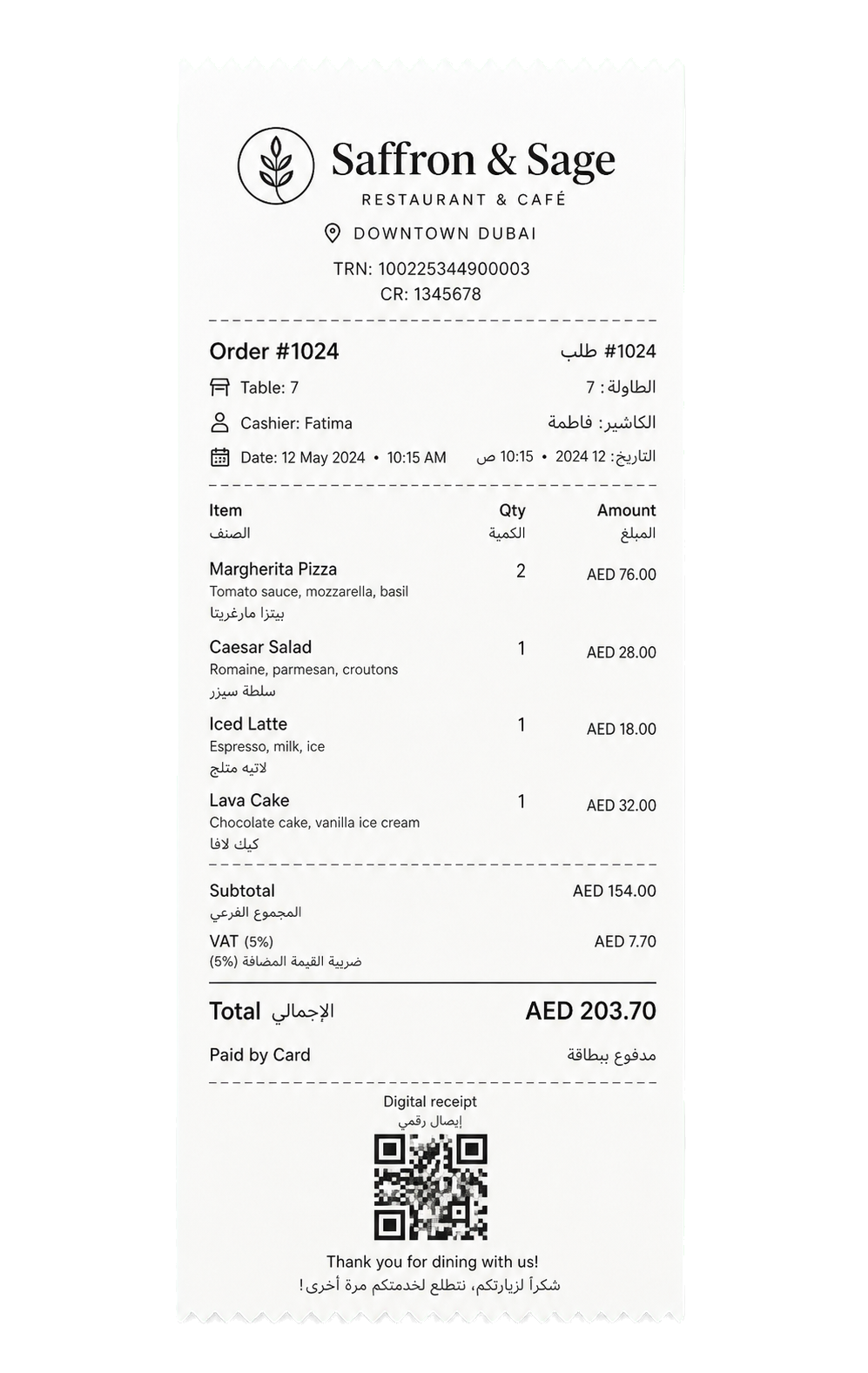
Receipts with the right tax details.
Store your tax ID, trade license, and registration country once. They print on digital and thermal receipts.
- Bilingual receipts
- Digital QR receipts
- Thermal printers
- Per-region tax
Try the demo or choose a plan.
Start without a card. Plans scale with your branches and usage, not with locked features.
- Bring your own hardware (iPhone, iPad, Android / thermal printer)
- Multiple branches from day one
- Switch language any time
- Cancel any time, no penalty
Restaurant POS and QR menu, common questions
How much does a restaurant POS system cost in the UAE?
Menu Malak includes every feature in every plan, so you do not pay more to unlock POS, kitchen display, or QR ordering. You pay based on usage, such as the number of branches and tables. See the pricing page for current plans, or contact us for a quote.
Does the QR menu work without an app?
Yes. Guests scan the QR code, browse the menu, order, pay, and call the waiter straight from their phone browser. There is nothing to download.
Will the POS keep working if the internet drops?
Yes. The POS has an offline mode, so cashiers can keep taking orders and payments during an outage, and everything syncs once the connection returns.
Does it include a kitchen display system (KDS)?
Yes. Orders route to the right station so grill, salad, and bar teams see only their items, on tablets, iPads, or a kitchen screen, with printer routing as a fallback.
Can I manage more than one branch?
Yes. Switch between branches in one tap and keep pricing, inventory, reports, and staff permissions organized per branch from a single dashboard.
Are receipts VAT and tax compliant for the UAE and Saudi Arabia?
Yes. Store your tax registration number and trade license once, and they print on digital and thermal receipts, ready for VAT across the UAE and the GCC.
Does the menu support Arabic?
Yes. Menus, receipts, and the kitchen display all work in proper Arabic and English side by side, with full right to left support.
Ready to see how it works?
Contact us and we will show you a demo that fits your restaurant or shop. No commitment.
Tell us what you run
Send a message or reach us on WhatsApp. We will show you the right setup for your restaurant or your store.